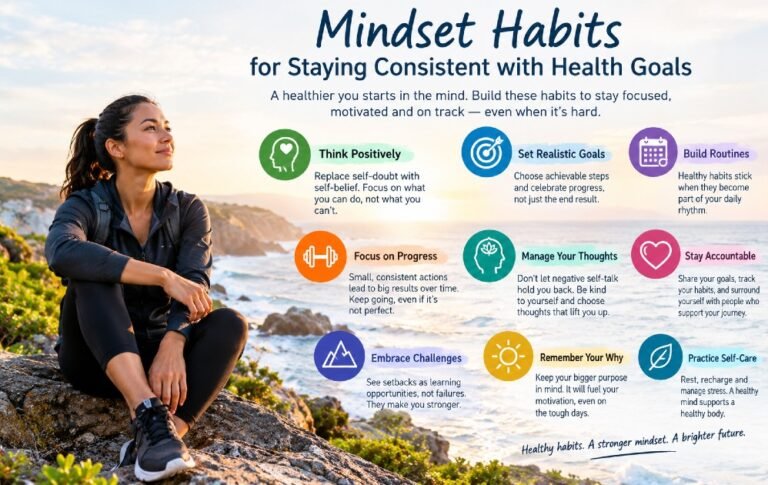


Still scrolling when you should be sleeping, waking up tired, or struggling to focus after hours online? Your screen-time patterns may be quietly disrupting your sleep quality and ability to stay focused.
The CDC recommends turning off electronic devices at least 30 minutes before bedtime because better sleep supports attention, memory, mood, and overall health.
This guide explores practical digital wellness practices that help you manage screen time, establish healthier tech boundaries, improve sleep, maintain concentration, and make more intentional use of your daily hours.
How Digital Habits Shape Restful Sleep and Sharper Focus
Frequent screen use, especially before bedtime, can interfere with restful sleep and reduce your ability to maintain focus throughout the day. Understand how digital habits affect sleep and attention.
Excessive screen use can disrupt quality sleep and make it harder to maintain concentration throughout the day.
Setting healthy limits on screen time can promote deeper sleep, sharper concentration, and more productive days.
Build Healthier Digital Habits
Digital wellness habits are simple choices that help you manage screen time and use technology more intentionally.
Frequent digital alerts and prolonged screen browsing can disrupt restful sleep and weaken your ability to stay focused.
Intentional screen use reduces distractions and creates more room for sleep and focus.
9 Digital Wellness Strategies to Sleep Better and Stay Focused

Does your phone’s constant stream of alerts make it harder to unwind and get restful sleep? Late-night scrolling, constant notifications, and nonstop screen exposure can make it harder to wind down and stay focused the next day.
Research shows that simple, consistent screen-use habits can help limit sleep disruptions and support healthier rest.
Discover how these nine digital wellness strategies can help you set smarter screen boundaries, protect your bedtime routine, improve focus, and create more space for restorative sleep.
Create a Screen-Free Wind-Down Period

Late-night scrolling can keep your mind alert when your body needs rest, making digital wellness habits essential for a calmer bedtime.
Why it matters:
A screen-free period before bed can reduce nighttime stimulation and help your mind transition naturally toward sleep.
What works for me:
I leave my phone aside for about half an hour to an hour, soften the room lighting, read a few pages of a book, and use a simple bedside alarm clock to wind down for the night.
How to start:
- Begin with 15 minutes without screens.
- Gradually increase the period to 30–60 minutes.
- Charge your phone outside the bed if possible.
- Replace scrolling with reading, stretching, or quiet reflection.
- Keep the routine consistent, even on busy evenings.
Keep Your Phone Out of Reach at Bedtime

Your phone can disrupt your nighttime wind-down by keeping your mind engaged, making mindful digital habits an important part of a sleep-supportive routine.
Why it matters:
Keeping your phone out of reach reduces the temptation to scroll, check notifications, or reach for the screen when you should be winding down.
What works for me:
I leave my phone away from the bed each night and rely on a traditional alarm clock, creating a boundary that limits late-night screen use and screen-free bedtime routine.
How to start:
- Choose one consistent charging location.
- Turn on Do Not Disturb before bedtime.
- Allow emergency contacts through if needed.
- Keep your phone outside arm’s reach.
- Use a separate alarm clock if your phone repeatedly disrupts your sleep.
Turn Off Nonessential Notifications
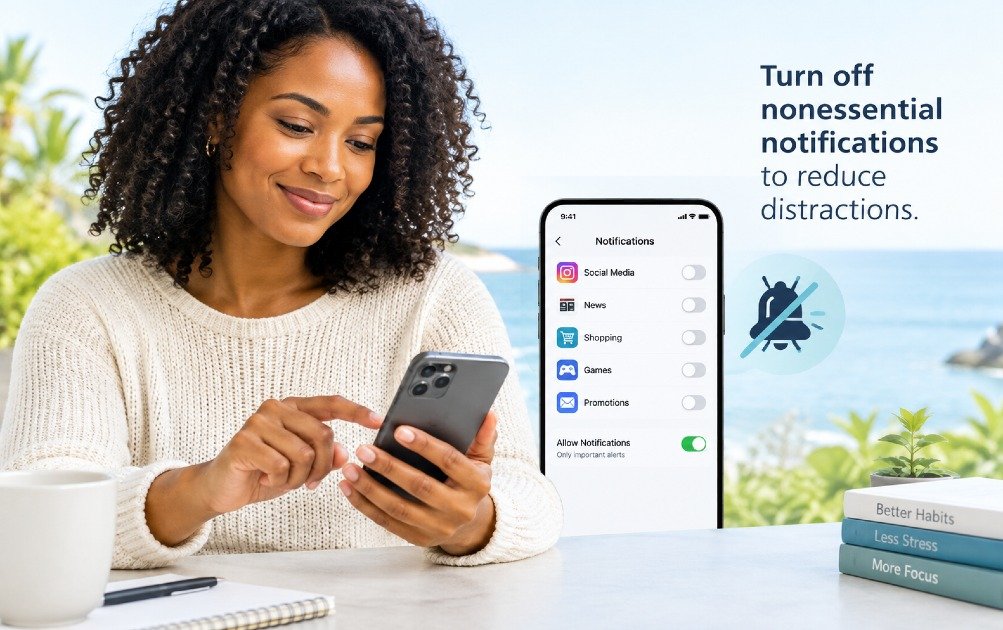
Frequent alerts can disrupt concentration, making intentional digital habits vital for maintaining focus and limiting everyday interruptions.
Why it matters:
Turning off nonessential alerts helps you stay focused, reduce interruptions, and create healthier boundaries with technology.
What works for me:
I mute unnecessary alerts and use a screen-time tracking app to monitor my digital habits, helping me stay focused, use technology more purposefully, and protect my attention throughout the day.
How to start:
- Review your notification settings.
- Disable promotional notifications.
- Remove alerts from low-priority applications.
- Silence group conversations during focused periods.
- Keep only genuinely important alerts active.
Use Focus Modes for Work and Personal Time
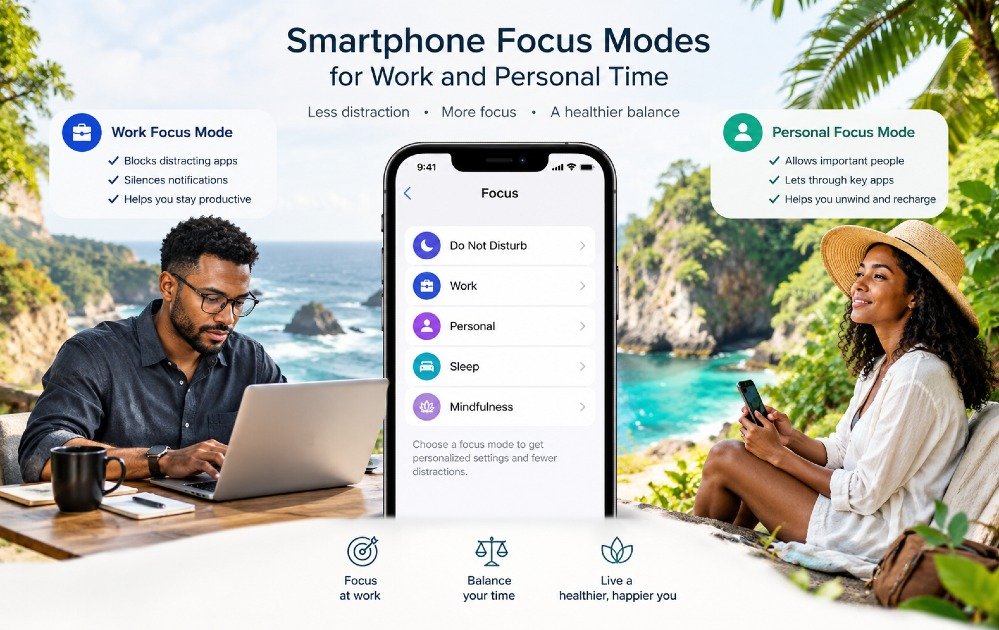
Constant notifications can blur work and personal time, making digital wellness habits essential for protecting focus and daily balance.
Why it matters:
Set up different Focus profiles for work and personal life to quiet unnecessary alerts, protect your concentration, and give your attention to what matters most in each moment.
What works for me:
I use scheduled work and personal focus modes with a minimalist digital wellness routine and a screen-time tracker to create clearer boundaries and stay intentional with my time.
How to start:
- Create a work focus mode.
- Create a personal or family focus mode.
- Use a sleep focus mode at night.
- Schedule focus periods around your most demanding tasks.
- Review which apps can interrupt each mode.
Replace Automatic Scrolling With Intentional Screen Use

Automatic scrolling can quietly consume your time, focus, and energy, making digital wellness habits essential for more intentional screen use.
Why it matters:
Replacing mindless scrolling with purposeful screen time helps protect your focus, productivity, and daily well-being.
What works for me:
I use a screen-time monitoring tool to track my device habits, curb mindless scrolling, and give each period of screen use a clear purpose.
How to start:
- Set a clear purpose for your screen time before launching any app.
- Set a reasonable time boundary for entertainment.
- Remove distracting apps from your home screen.
- Use website or app limits when necessary.
- Replace some scrolling sessions with walking, reading, or conversation.
Protect Your First Hour of the Morning

Your first hour can easily become reactive when notifications, news, and scrolling take control before you set your own priorities.
Why it matters:
Protecting your morning with simple digital wellness habits can reduce distractions and create space for focus, movement, and a calmer start.
What works for me:
I keep my phone out of reach for the first hour, then use a simple digital wellness routine with a smart sunrise alarm clock to start my day with intention instead of scrolling
How to start:
- Avoid social media immediately after waking.
- Keep your phone away from your breakfast area.
- Write down your three most important priorities.
- Take a short walk or stretch before checking messages.
- Schedule a specific time to review email.
Use Technology to Support Better Sleep Instead of Disrupting It

Technology can disrupt sleep when screens and notifications take over your bedtime, but intentional digital wellness habits can turn technology into a sleep-supporting tool.
Why it matters:
Poor nighttime technology habits can delay sleep and reduce sleep quality, making smarter digital boundaries essential for better rest.
What works for me:
I use a sleep tracker to monitor my sleep patterns and adjust my digital wellness habits, helping me create a more consistent bedtime routine.
How to start:
- Use a sleep timer for audio.
- Choose calming content instead of stimulating content.
- Dim your display in the evening.
- Avoid emotionally intense content before bed.
- Stop using the device when your planned activity ends.
Schedule Device-Free Focus Blocks

Constant notifications can quietly break your concentration, making digital wellness habits like device-free focus blocks essential for protecting your time and attention.
Why it matters:
Scheduled device-free periods reduce digital distractions, strengthen focus, and create more space for meaningful work, rest, and connection.
What works for me:
I schedule daily device-free focus blocks and use a focus timer to stay committed, making this simple habit easier to maintain and promote consistently.
How to start:
- Choose one task.
- Set a 20–30-minute timer.
- Put your phone on silent or Do Not Disturb.
- Close unrelated browser tabs.
- Take a short break when the timer ends.
Create a Weekly Digital Reset

Constant notifications and mindless scrolling can quietly drain your focus, sleep, and time, making a weekly digital reset a powerful part of better digital wellness habits.
Why it matters:
A weekly reset helps you identify unnecessary screen time, set healthier boundaries, and create more space for rest, movement, and real-life connection.
What works for me:
I review my screen time each week, silence unnecessary notifications, and use a screen-time tracker to stay accountable and turn digital wellness habits into a routine.
How to start:
- Once a week, review your screen-time report.
- Identify your three most-used applications.
- Ask which apps actually helped you.
- Remove unnecessary applications or notifications.
- Choose one digital boundary for the following week.
Build a Digital Wellness Routine That Fits Real Life
Build digital wellness habits that fit your daily life without sacrificing sleep, focus, or personal time.
Unmanaged screen time and constant notifications can disrupt sleep, increase stress, and weaken concentration.
A realistic digital wellness routine helps you manage screen time, protect sleep, improve focus, and maintain healthier daily habits.
Frequently Asked Questions
What are digital wellness habits?
Digital wellness habits help you use technology intentionally to protect your focus, sleep, health, and daily priorities through fewer notifications, screen-free time, and smarter device boundaries.
How can digital wellness habits improve sleep?
Digital wellness habits can improve sleep by reducing screen exposure, with a 30-minute screen-free wind-down and phone-free bedroom helping you transition to restful sleep.
Should I stop using my phone before bed?
Use calming technology before bed if helpful, but limit stimulating content and try a longer screen-free period if your phone disrupts your sleep.
Do blue-light glasses improve sleep?
Evidence on blue-light-blocking lenses remains mixed, so use them as one possible part of a broader sleep routine—not a guaranteed solution for sleep problems.
How can I reduce screen time without feeling disconnected?
Set purposeful digital boundaries—limit notifications, create device-free meals and bedtime, schedule focused work and social media, and use technology intentionally without disconnecting from what matters.
Recap: Take Control of Your Screen Time, Sleep Better, and Focus More
Better sleep and sharper focus can start with one simple goal—make your technology work for your health, not against it. Turn off unnecessary notifications, create screen-free periods, and protect your bedtime routine from endless scrolling.
Track your screen habits each day and make one intentional digital wellness change this week. Small boundaries can help create more space for rest, focus, energy, and meaningful time away from the screen.
Start tonight—put the phone down, protect your sleep, and give your mind room to recharge.
Ready To Take Back Your Sleep And Focus?
Still ending the day overstimulated and waking up unfocused? You can reset your digital habits and build a healthier sleep routine.
Discover how this sleep tracker helps you monitor sleep patterns, understand your nightly routine, and make smarter changes that support better rest and daytime focus.